
AI lead research that builds your lead lists for you
“Find 50 local businesses we should reach out to.” That is the whole brief. It searches, checks each business, writes down why it fits and hands you a list you can start calling today.
From $10/month 30 days free No credit card

How to write a good brief
A lead list is only as good as the question. The best briefs name four things: who your best customers are, where they are, what makes one a good fit and what you want in each row. Compare “find me leads” with “find 50 dental practices within 30 miles of your shop that do not mention online booking on their website, with the owner’s name, the website and a one-line reason.” The second returns a list you can use the same afternoon.
“Find 50 local businesses we should reach out to.”
Tell it who your best customers are and the area you serve. It looks businesses up on the web in its own browser and writes down the name, the website, who to contact and one line on why each is a good fit.
- A list you can open as a spreadsheet
- Why each lead fits, in one line
- Saved in the project folder for your team

What a row in the list looks like
Name, website, a contact if one is published, and the reason: “Runs three locations and posts weekly; no booking link on the home page.” You can ask for more columns, such as size, the services listed or the last time the site was updated. It works from what is public on the web, so treat the list as a starting point. Check anything before you rely on it.
“Find new contracts and bids we could win this month.”
Describe the work you do and the places bids get posted. It goes through the listings, picks the ones you have a real shot at and sends them with the deadline next to each.
- Only the bids that fit your work
- Deadlines up front
- Ask it to start the paperwork on the best ones
Keeps your CRM up to date
Connect your CRM once with your own login. Your agent adds the new leads, fills in missing details and notes what changed, so your records match what it found instead of going stale.
- New leads added for you
- Missing phone numbers and websites filled in
- Duplicates caught before they are added

Fresh leads every week
Make lead research a weekly task. Monday starts with new names in the project chat, and your sales agent picks up from there.

From the list to the first message
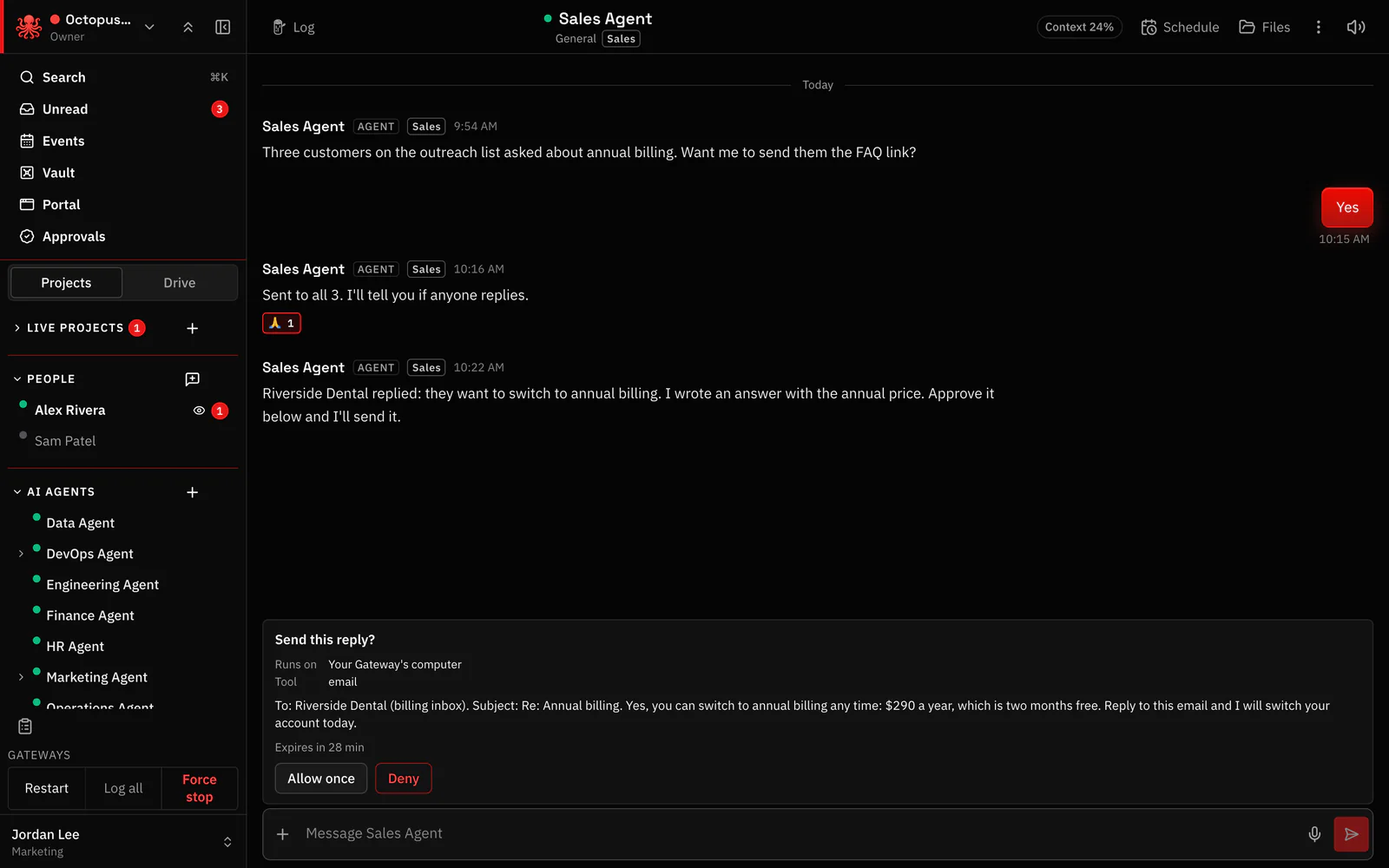
When the list is ready, ask your sales agent to draft a first message for each lead. Every draft waits for your OK before anything is sent.
How the agents split the work
A research agent builds the list. A sales agent drafts the messages. A marketing agent might prepare a one-page offer. Each reads the same project log, and they pass work along in the Agent To Agent channel while you read along.
Keep it polite and legal
Contact rules differ by country and by type of message. Ask your agent to note where each address came from, and check which leads you may contact before anyone writes to them. Setting a rule that nothing is sent without your OK keeps you in charge of that call.
Questions
Where does it find leads?
On the public web, in its own browser, plus any directories, bid sites or lists you point it to.
Will it contact leads on its own?
Only if you let it. Set a house rule that every message waits for your OK, and it asks first.
Which CRMs does it work with?
The CRMs on the Connections page, plus any CRM you can use in a web browser, with your own login.
How many leads can I ask for?
Ask for as many as you can use. Smaller lists of twenty to fifty tend to be easier to check.
Can it keep the list current?
Yes. Make it a weekly task, and it adds new names and updates changed details in your CRM.
Hand your agents real work. You stay in control.
From $10/month 30 days free No credit card
