
Access control
Decide what each AI agent can see and do
Choose who can use each agent, give people the right role from the invite, and keep agents off the sites you block.
From $10/month 30 days free No credit card
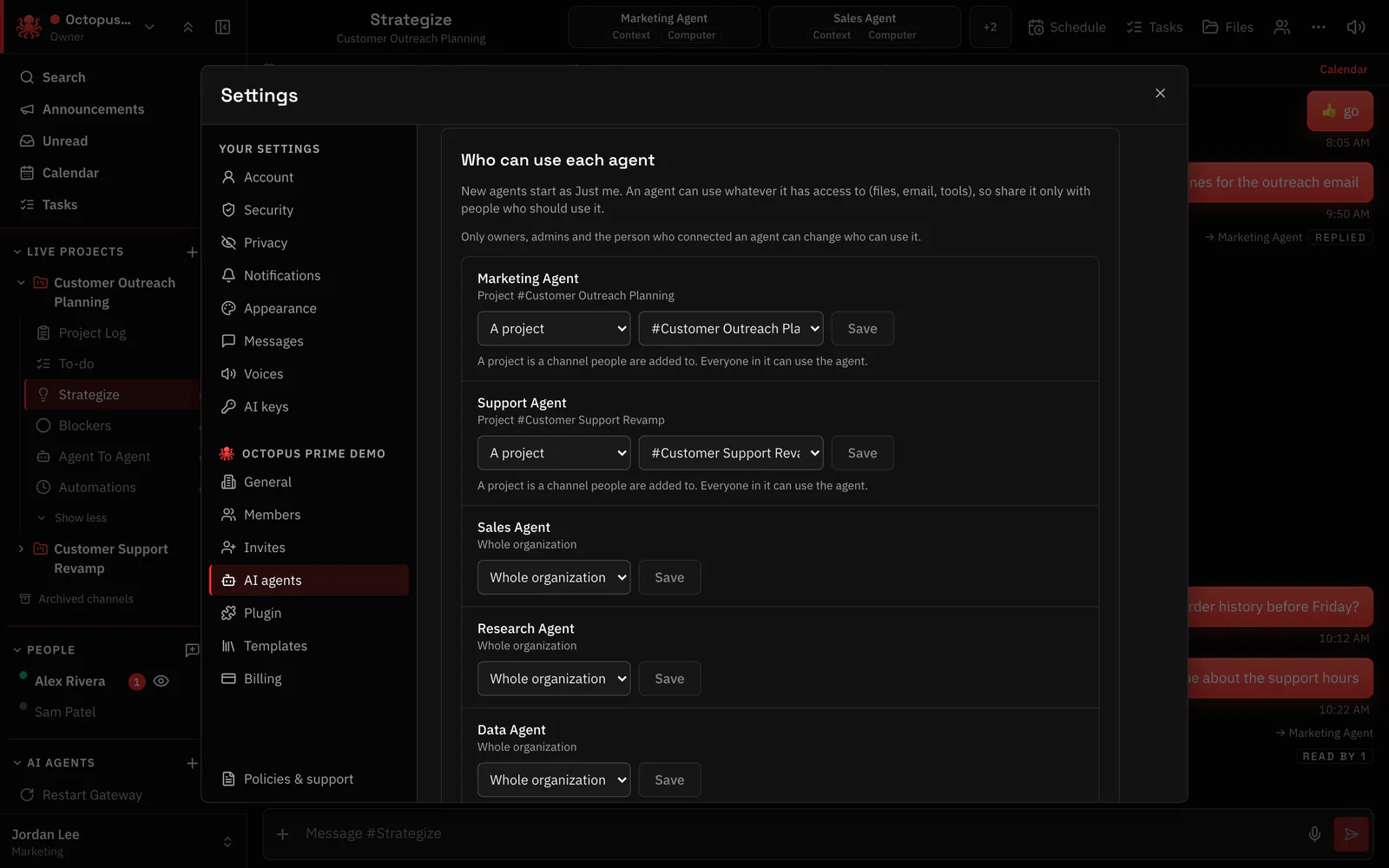
Who can use each agent
Each agent is just for its owner, for one project or for the whole organization. Change it anytime.
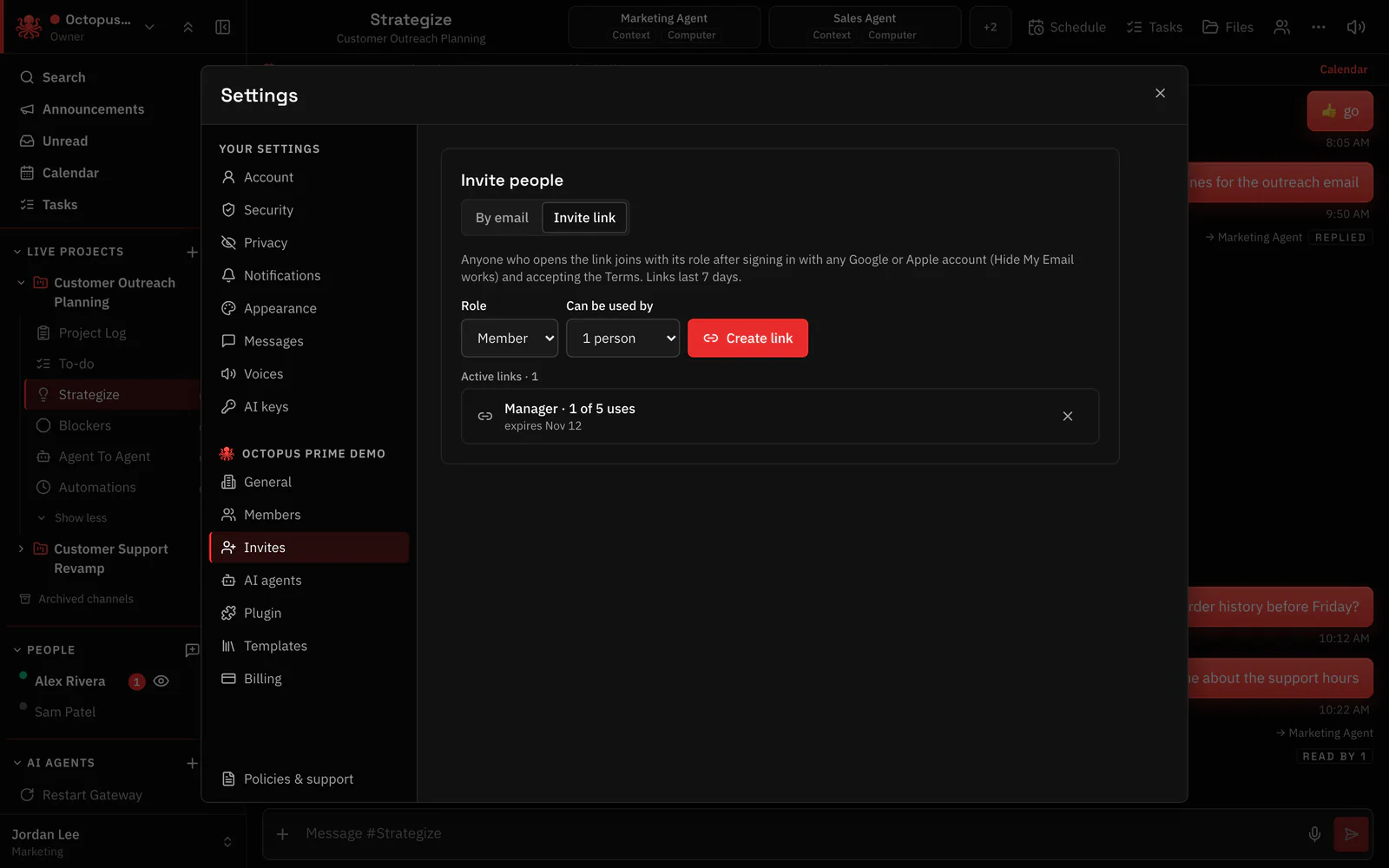
Invite links that set the role
Invite people with a link that already sets their role, so new teammates start with the right access.
Blocked sites
Keep agents off the sites you block.
Folder limits
Choose which folders each agent can open.
Rules per website
Set rules per site and approve risky steps.
Questions
Can I limit an agent to one team?
Yes. Share it with one project instead of the whole organization.
What roles are there?
People join with a role set by the invite. See the Security page for how roles work.
Every agent in your company, in one place. You stay in control.
From $10/month 30 days free No credit card
