
When the chat gets too long, your agent keeps going
Every AI can only keep so much in mind at once. When a chat gets close to that limit, your agent starts a fresh conversation, reads the project log and keeps working.
From $10/month 30 days free No credit card

Why long chats go wrong
Picture a desk. An AI can only spread so many pages on it at once. As a chat grows, new pages go on and the oldest slide off. After a few hours of work, the agent may no longer have the first instructions in front of it. The usual fix is to start a new chat and explain everything again. That is the thing this page is about getting rid of.
A fresh start that remembers
Before the chat is full, the agent starts a fresh conversation on its own and reads the project log first, so it knows the decisions and the next step. In a project, the new session starts with the log. Outside a project, the agent writes a short summary first and the new session starts from that.

A meter shows how full the chat is
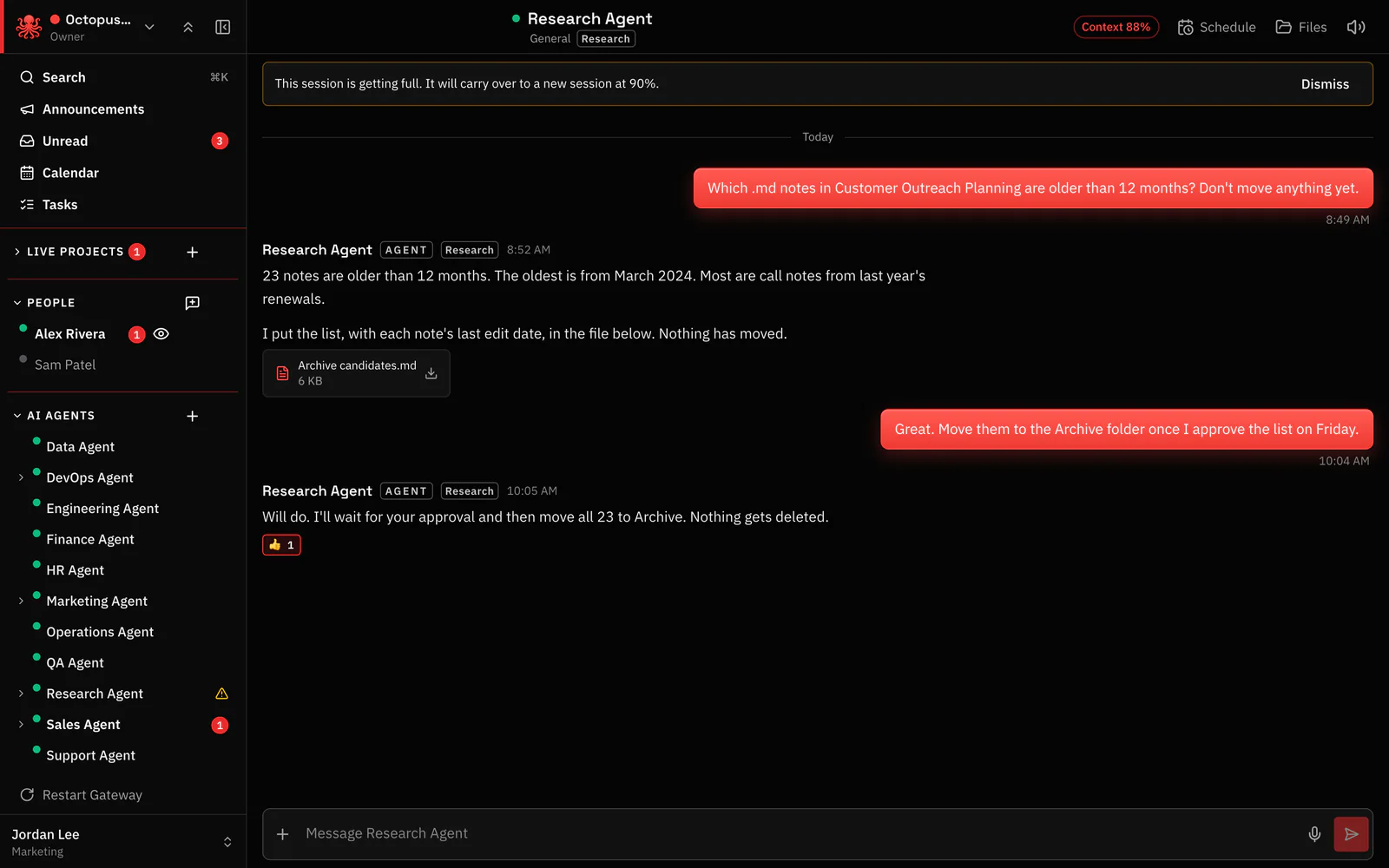
Open any chat and see how much the agent is holding in mind right now. The Context button at the top of the chat shows how full the session is, and warns you shortly before it carries over.
You set when it happens
Carrying over is on by default. Owners and Admins set when it happens for the whole organization, and each conversation can override that with its own switch in the Context menu. You can also carry over by hand with one button whenever you like.
What you see afterwards
The new session is named after the old one with “(continued)” added. The old session shows where it continued, is kept read only for a few days and is then cleaned up. The first session, General, is never archived. You can keep several sessions with the same agent. Each is its own conversation and starts the agent fresh, which is handy when you want to separate two topics.
An example: a long research day
Research Agent has worked through an archive review since morning. By afternoon its chat is nearly full. It starts a new session on its own, reads the project log and sees: 23 old notes waiting for approval, 4 undated notes flagged in Blockers, outreach list finished. It carries on with the next step, and Jordan sees nothing but a new session title.
A bigger memory for one agent
For an agent that needs more always in mind, switch on a bigger always-loaded memory. It costs more per message, so use it where it matters.
Keeping long work healthy
- Keep decisions in the project log, so any session can find them
- Give long jobs their own session
- Check the meter before pasting something large
- Use the project folder for files, not the chat
Questions
Why does an AI forget in long chats?
It can only keep a certain amount of text in mind at once. Past that, older parts drop out. Starting fresh with the project log avoids that.
Do I need to do anything?
No. The agent starts fresh on its own when the chat gets close to full.
Can I turn the automatic start off?
Yes. Owners and Admins set it for the organization, and each conversation can override it.
Does the old conversation disappear?
It stays open for reading for a few days, then is cleaned up. Your decisions are in the project log, which stays.
What if I am not in a project?
The agent writes a short summary of the chat first, and the new session starts from that.
Hand your agents real work. You stay in control.
From $10/month 30 days free No credit card
