
Train your AI agent like a new hire
No tech skills needed. You explain your business the way you would on someone’s first day, fix what it gets wrong once, and tell it what to check with you first.
From $10/month 30 days free No credit card

A first day, in order
Think of the first week of a new hire. You do not hand over a manual. You explain the business, watch them work, correct them and set some limits. Training an agent follows the same order, and every step happens in a chat.
- Day one: tell it about your business and the one job you want off your plate
- Day two: let it try the job and correct anything wrong
- Day three: set what it should ask you about first
- After that: add jobs one at a time
1. Tell it about your business in plain words
What you sell, who your customers are, how you like replies to sound, which jobs matter most. Type it the way you would say it out loud. It writes it all down in its own notes, called Cortex in the app, where you can open and edit them anytime. The notes are ordinary files: About, Rules, Voice, How I work and Lessons, plus notes about the people you work with. If you want to know what it believes, open the file.
- About your business, in your words
- Notes about the people you work with
- The voice it should write in
What to say, as examples
Plain sentences work best. These are the kind of thing people tell a new agent on the first day.
- “We are a family-run bike shop. Most customers are commuters. We are closed Mondays.”
- “Reply to customers within one working day, in a friendly, short style. Never promise a delivery date.”
- “Sam handles billing questions. Jordan handles anything about orders.”
- “Our main job for you is the weekly stock report.”
2. Correct it once, and it remembers next time
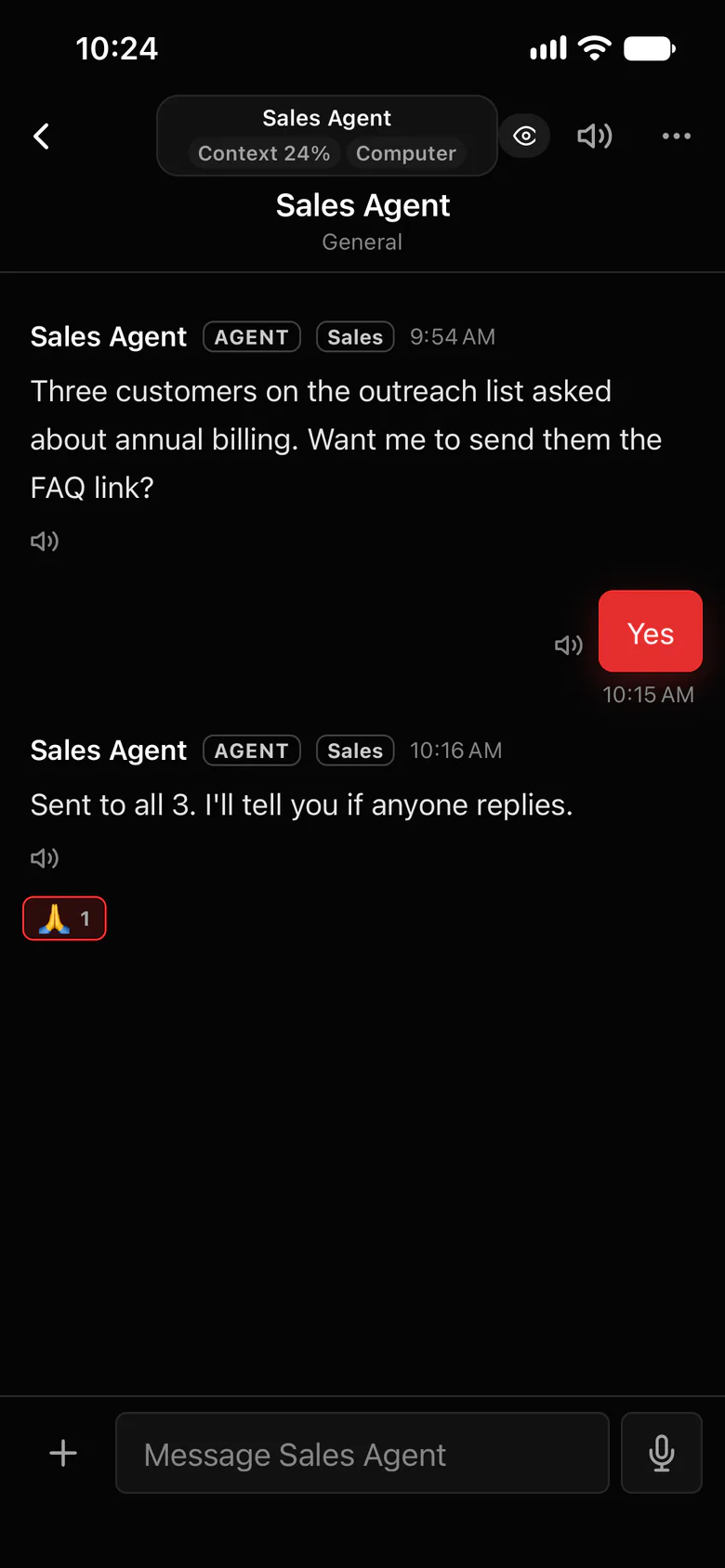
When it gets something wrong, tell it the way you would tell a new hire: “We never quote a price over chat.” It saves that as a lesson and does it your way from then on, in every chat. When a task takes several steps, such as an outreach email that starts from reading the outreach list and ends with two drafts for review, it can keep those steps as a skill and reuse them.
- No repeating yourself in every chat
- Steps it learns become skills it reuses
- Open its lessons and change one anytime

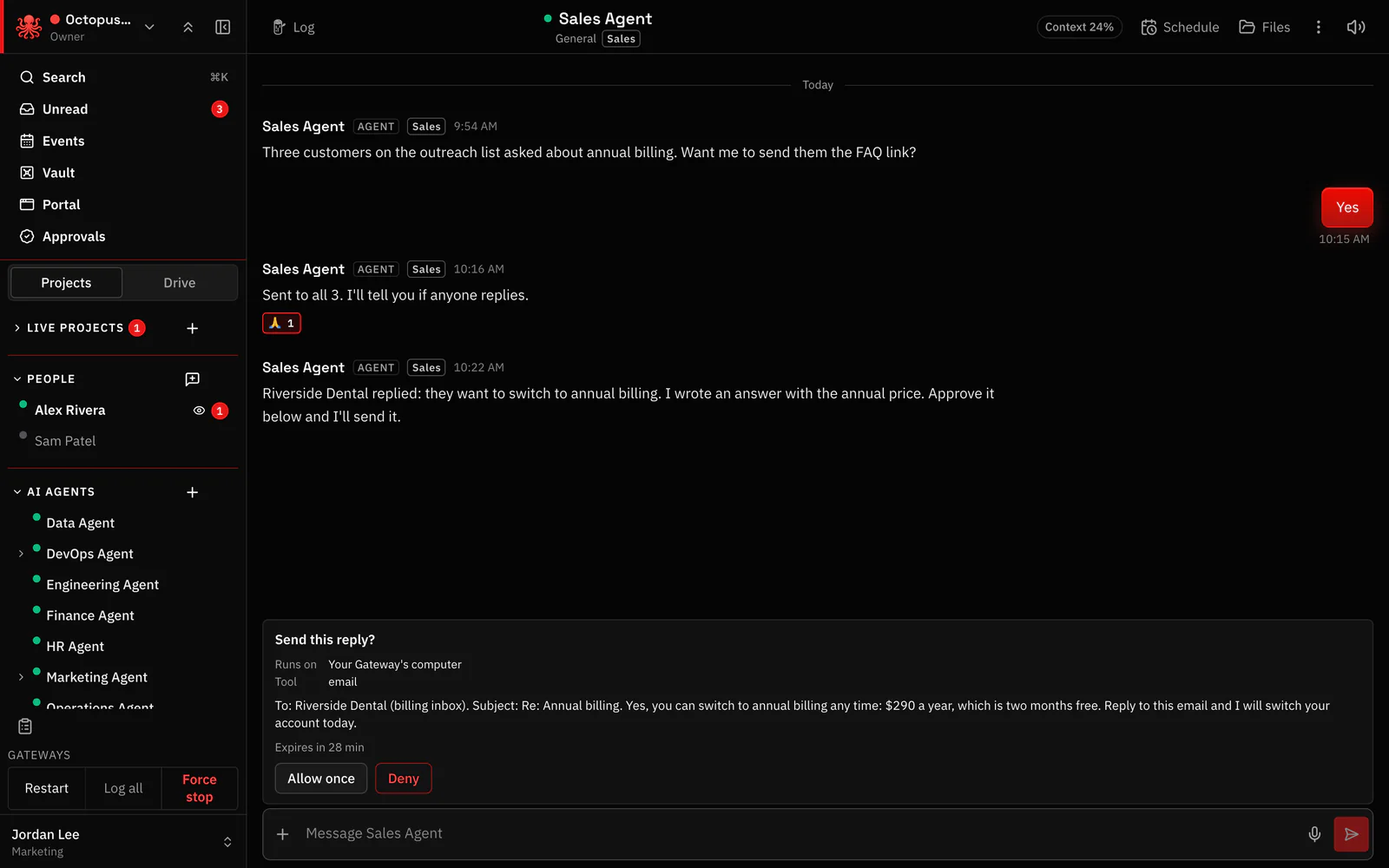
3. Set your house rules. It asks before anything you want to approve.
Decide what it may do alone and what waits for you. Sending an email, paying for an order or deleting a file can each wait for your OK, and you answer with one tap from the web or your iPhone.
- Rules it follows in every job
- Approval cards for the steps you pick
- Allow once, or say no
No coding. If you can text, you can train it.
Every part of training happens in a chat. There are no forms to fill in and nothing to install for it. Talk to your agent from the web or your phone and it picks up from there.
Saved prompts and agent manners
Save the prompts you use often, and give agents manners for shared chats so they stay helpful around your team. The Templates library has three shelves: My templates, Organization templates and Starter templates, and you insert one by typing a slash at the start of a message.

Long-term memory
Each agent keeps a long-term memory, called Nest in the app, for what it should never forget.
Show it once
Do a task once while the agent watches, and it learns the steps.
A monthly check-in
Once a month, open the agent’s Rules and Lessons and read them. Delete anything out of date. Add anything you have said more than twice in chat. It takes a few minutes and keeps the agent matching how the business works now.
What not to teach in chat
Do not type passwords into chats. Save logins in the Vault and allow the agent to use them. A password pasted into a chat is locked away in the Vault anyway, but the habit is worth getting right.
Questions
Do I need tech skills to train an AI agent?
No. You train it by chatting, the same way you would explain things to a new person on your team. If you can text, you can train it.
Do I have to repeat my preferences in every chat?
No. Tell the agent once and it keeps them in its rules.
What should I tell it first?
Start with what your business does, who your customers are and the one job you want off your plate. Correct it as it works, the way you would with any new hire.
Can I see what it has learned?
Yes. Its notes, rules, lessons and skills are files you can open, edit or delete in the app.
Can several agents share what I taught one of them?
Each agent keeps its own rules. What the whole project should know belongs in the project log, which every agent on the project reads.
Hand your agents real work. You stay in control.
From $10/month 30 days free No credit card
