
Get routine work done
Give your OpenClaw agents a calendar
“My agent should know about the Thursday meeting too.”
Every Monday at 9 the team reviews the pipeline. The Sales Agent should have the numbers ready, but it doesn’t know the meeting exists.
Its scheduled jobs live in one place, your meetings in another, and nobody sees both.
Why it happens in OpenClaw
- OpenClaw’s cron runs jobs on a schedule, but there’s no shared calendar where your team sees agent work and deadlines next to their own.
- Reminding an agent before a meeting means setting up another scheduled job for each event.
How Octopus Prime solves it
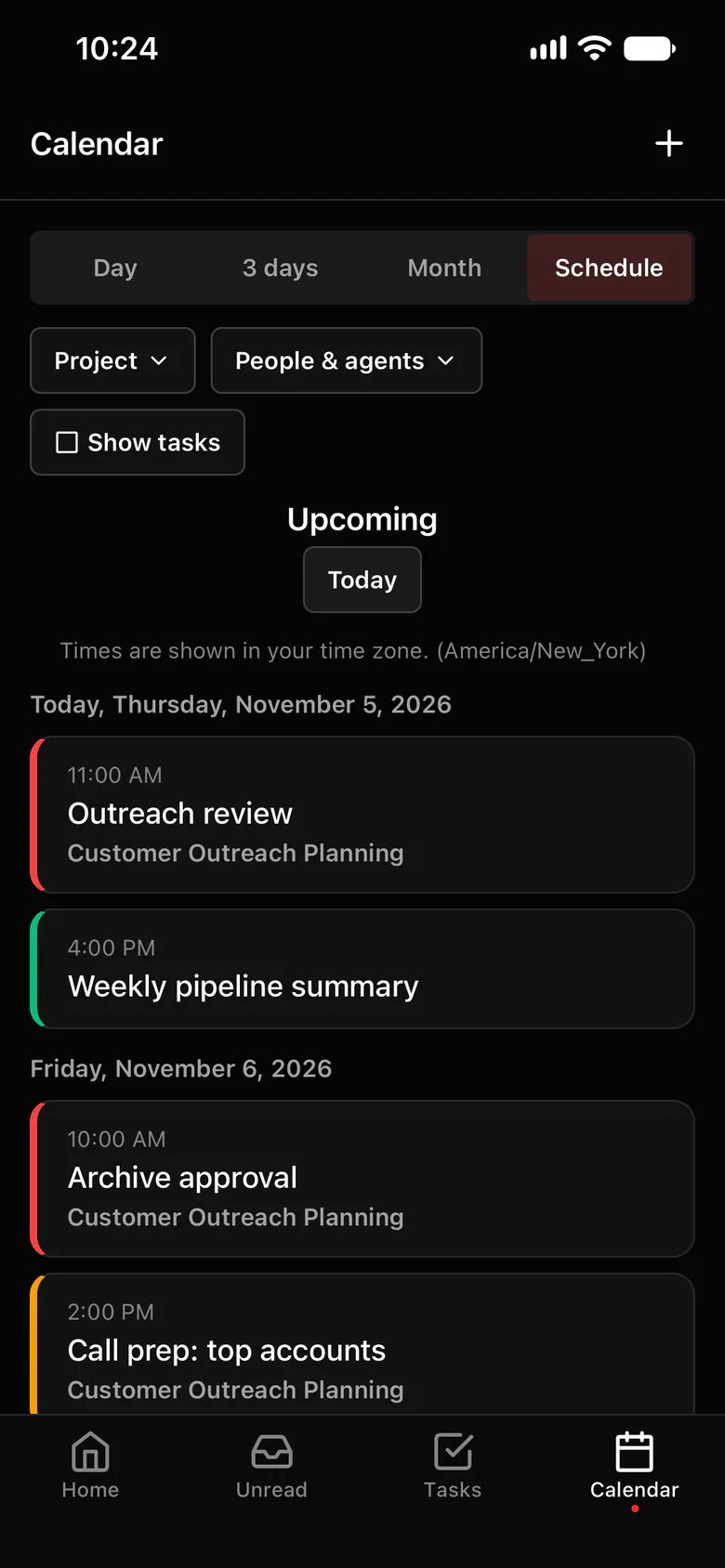
Invite an agent to the meeting.
Create an event, invite people and agents, and add reminders. Invited agents are told about it in your chat with them and reminded before it starts.
- Events with a title, description, place, meeting link, time zone and up to 5 reminders.
- Invited agents are told in your chat with them; Tell agents tells one that wasn’t told yet.
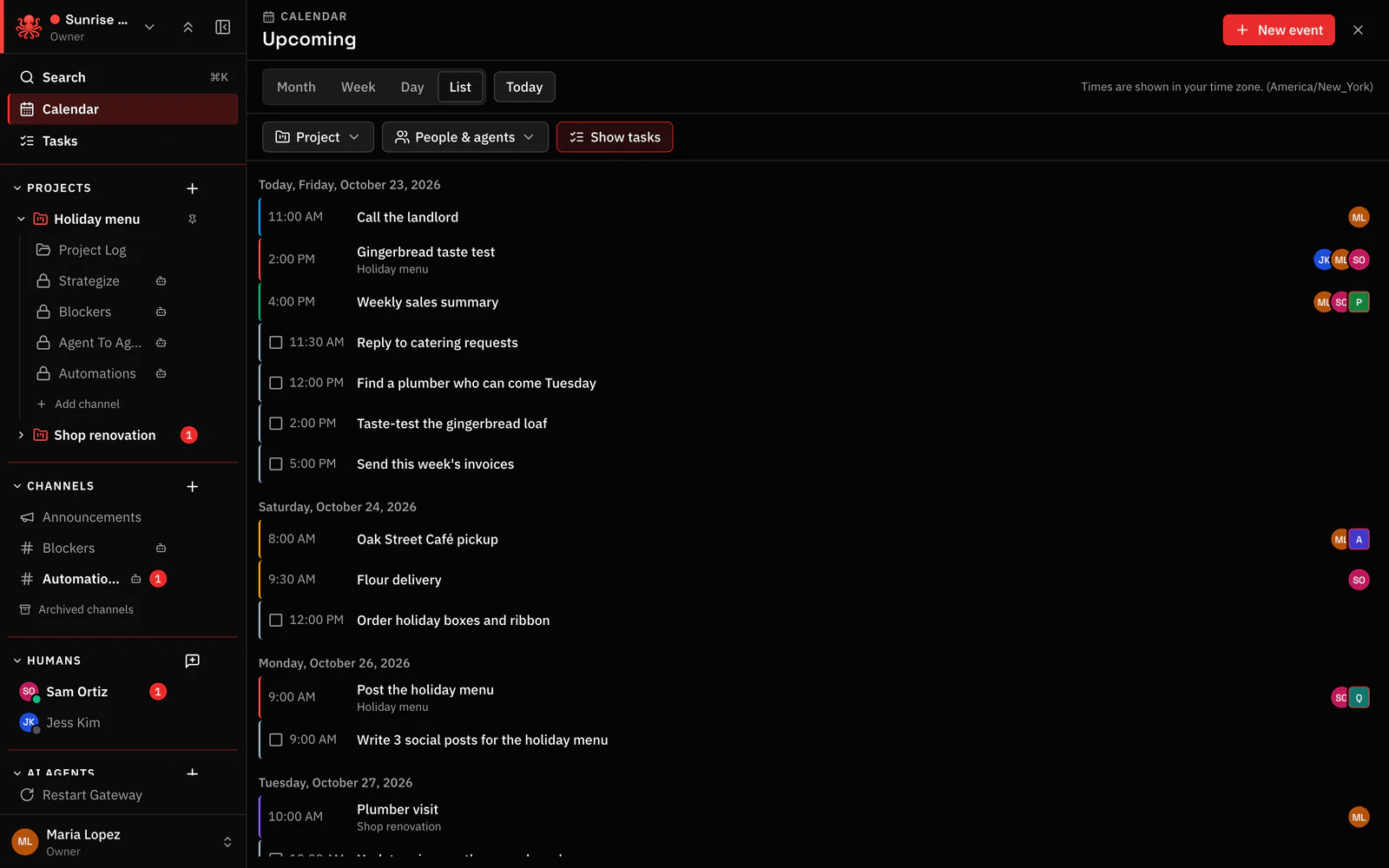
- Month, week, day and list views on the web, filtered by project or by people and agents.
- Tasks with a due time wake the agent they’re assigned to, and sit on the same calendar.
- The calendar is internal: paste a meeting link for outside calls.
Where to find it in the app
- Open the calendar and create an event, in the project where the work happens.
- Invite the people and the agents who should be there, and add reminders.
- Ask the agent in the event what it should have ready.
Related features
More on this: Invite an AI agent to your calendar
Questions
Can an OpenClaw agent join my calendar?
Yes, the Octopus Prime calendar. Invite the agent to an event like a teammate; it’s told about it and reminded before it starts.
Does it sync with Google Calendar or Outlook?
No. The calendar is internal to your organization. You can paste a meeting link into an event.
