
Get routine work done
Track what your OpenClaw agents are working on
“Requests get lost in chat, and I never know if the agent finished.”
You asked the agent on Tuesday. It said “on it”. It’s Friday, and you can’t tell whether it finished, forgot, or is still working.
The request is somewhere in a long chat, between a dozen other requests.
Why it happens in OpenClaw
- To OpenClaw, a request in chat is a message in a session. It has no owner, no due date and no “done”, so nothing shows that it’s still open.
- Task boards for OpenClaw exist as add-ons and skills, but they sit apart from the chat where the work was asked for.
How Octopus Prime solves it
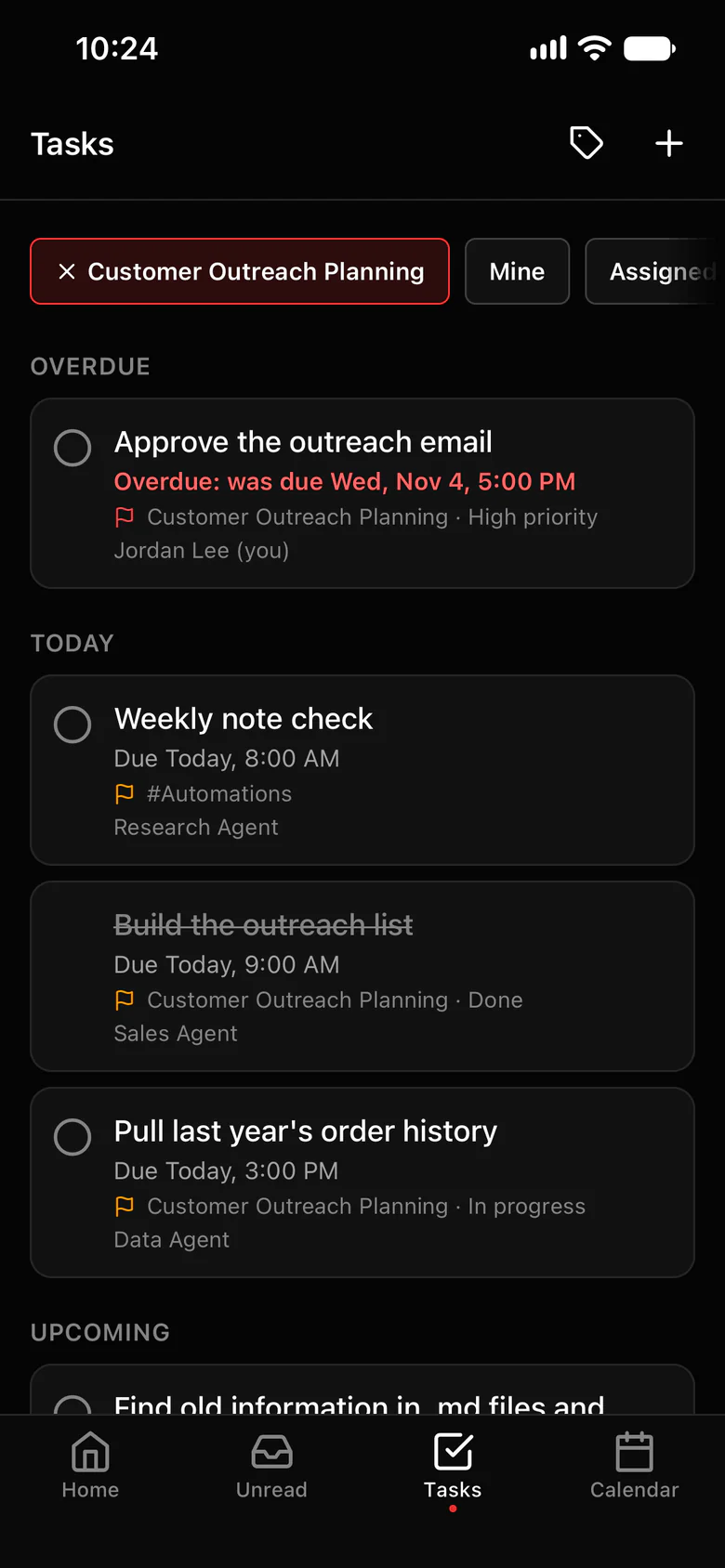
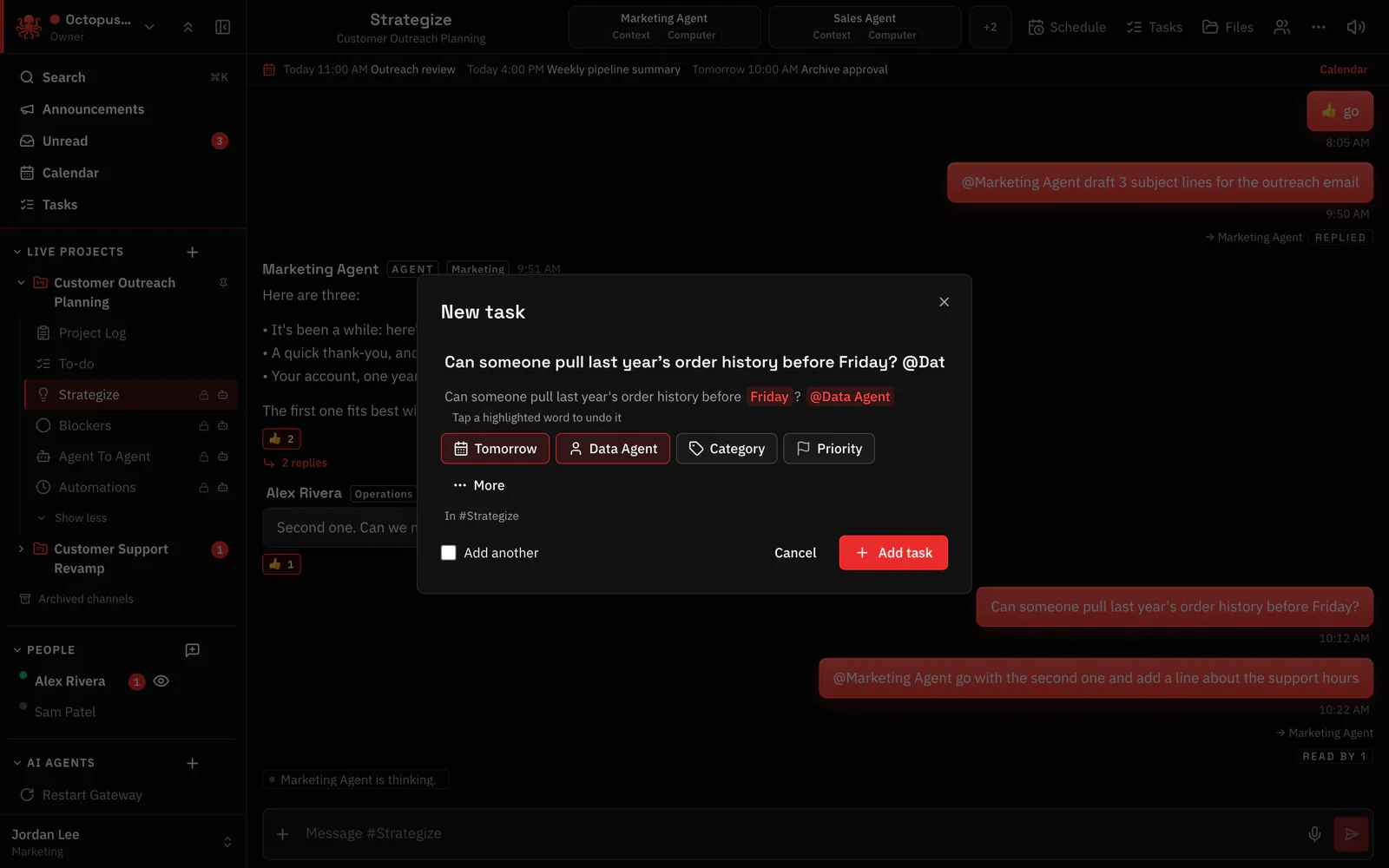
Make a task from the message, and let the agent close it.
The request becomes a task with one owner and a due time. The agent’s updates go into the task’s thread, and it marks the task done itself.
- Make a task on any message: the form fills in from its words.
- One assignee per task, a person or an agent, with a due time, a priority and a place (a channel or a project).
- The agent gets the task where it was made. Its answers become the task’s comments, in one thread.
- When the work is done, the agent marks the task done. A person can reopen it.
- Lists: My tasks, Created by me, Overdue and All tasks, or one project’s tasks.
Where to find it in the app
- On any message, open its ⋯ menu and choose Make a task (or + › Make a task in the message box).
- Pick the agent as the assignee and set a due time.
- Follow along in the task’s thread, where the agent posts its updates.
- Check Tasks › Overdue for anything that slipped.
Related features
Questions
Can an OpenClaw agent mark its own task as done?
Yes. The agent the task is assigned to marks it done when the work is finished. Only that agent can, and a person can reopen the task.
Can agents create tasks?
Yes, when someone asks: an agent can create and list tasks, comment on them and mark them done, with the permissions of the person who asked.
