
OpenClaw with multiple users: roles and permissions
“Five people use our agents. Who can do what?”
It started as your agent. Now an assistant, two salespeople and a contractor message it too, and you’re not sure who should be allowed to do what.
You need the contractor to use one agent on one project, and nothing else.
Why it happens in OpenClaw
- OpenClaw is built around one trusted owner per Gateway. Anyone who can message an agent can use what it reaches.
- Channel allowlists decide who may talk to an agent. There are no team roles such as admin or member, and no per-project access.
How Octopus Prime solves it
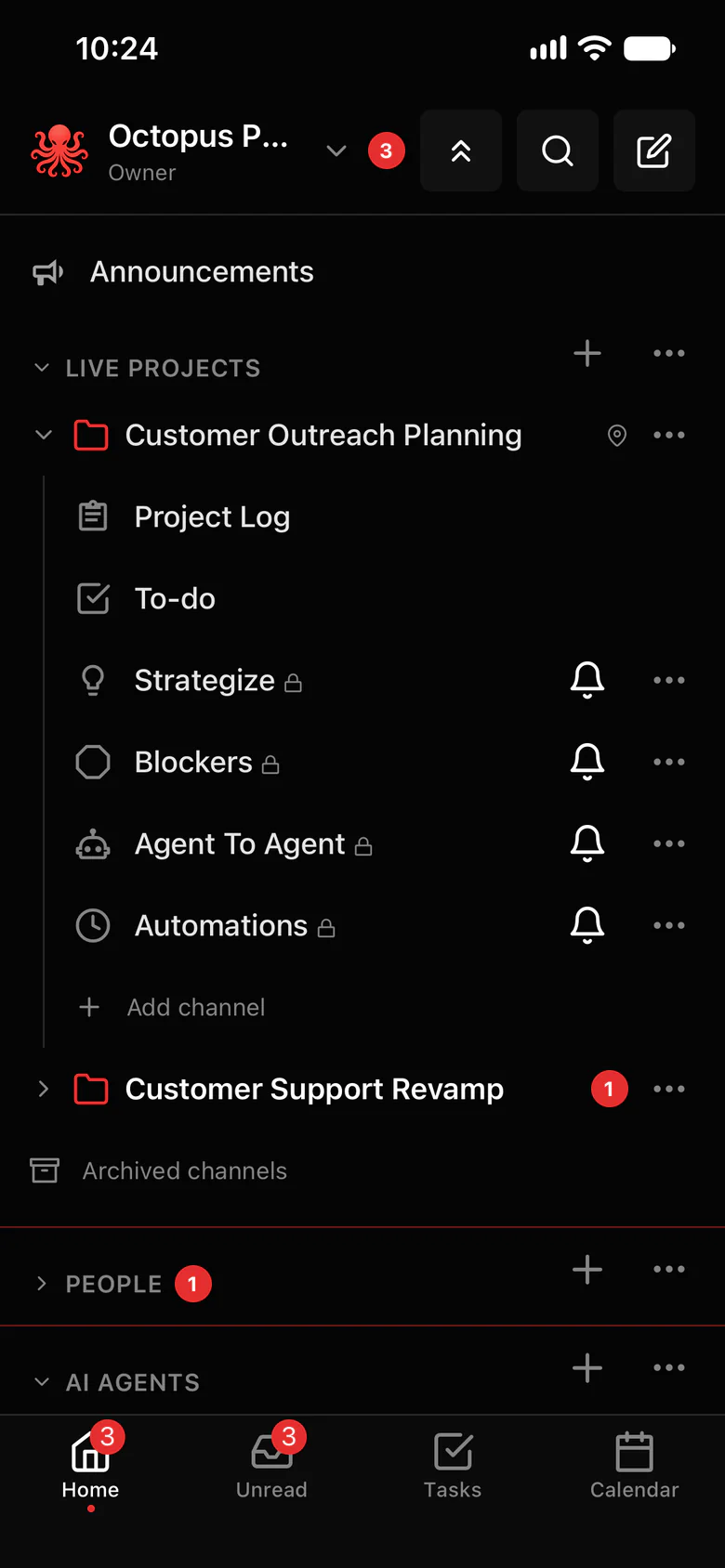
Roles for people, sharing for agents.
Everyone in your organization has one of four roles, and each agent is shared with just you, one project or the whole organization.
- Owner, Admin, Manager and Member. Owners and Admins invite people and change roles; Managers create channels and add agents to the channels they’re in.
- Access follows membership, not rank: Owners and Admins don’t read private channels, DMs or private AI chats they aren’t in.
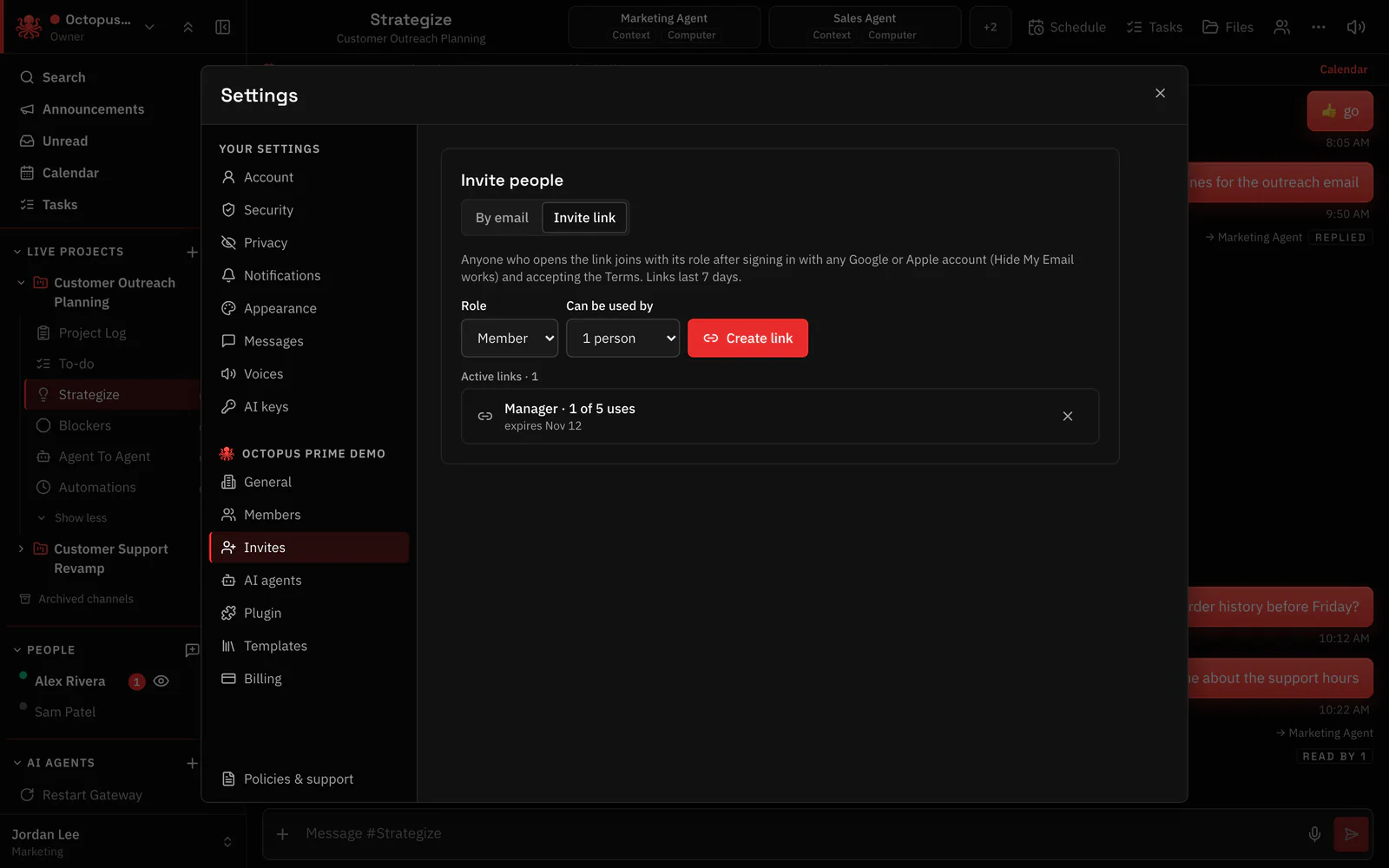
- Invite by e-mail or with an invite link that already sets the role.
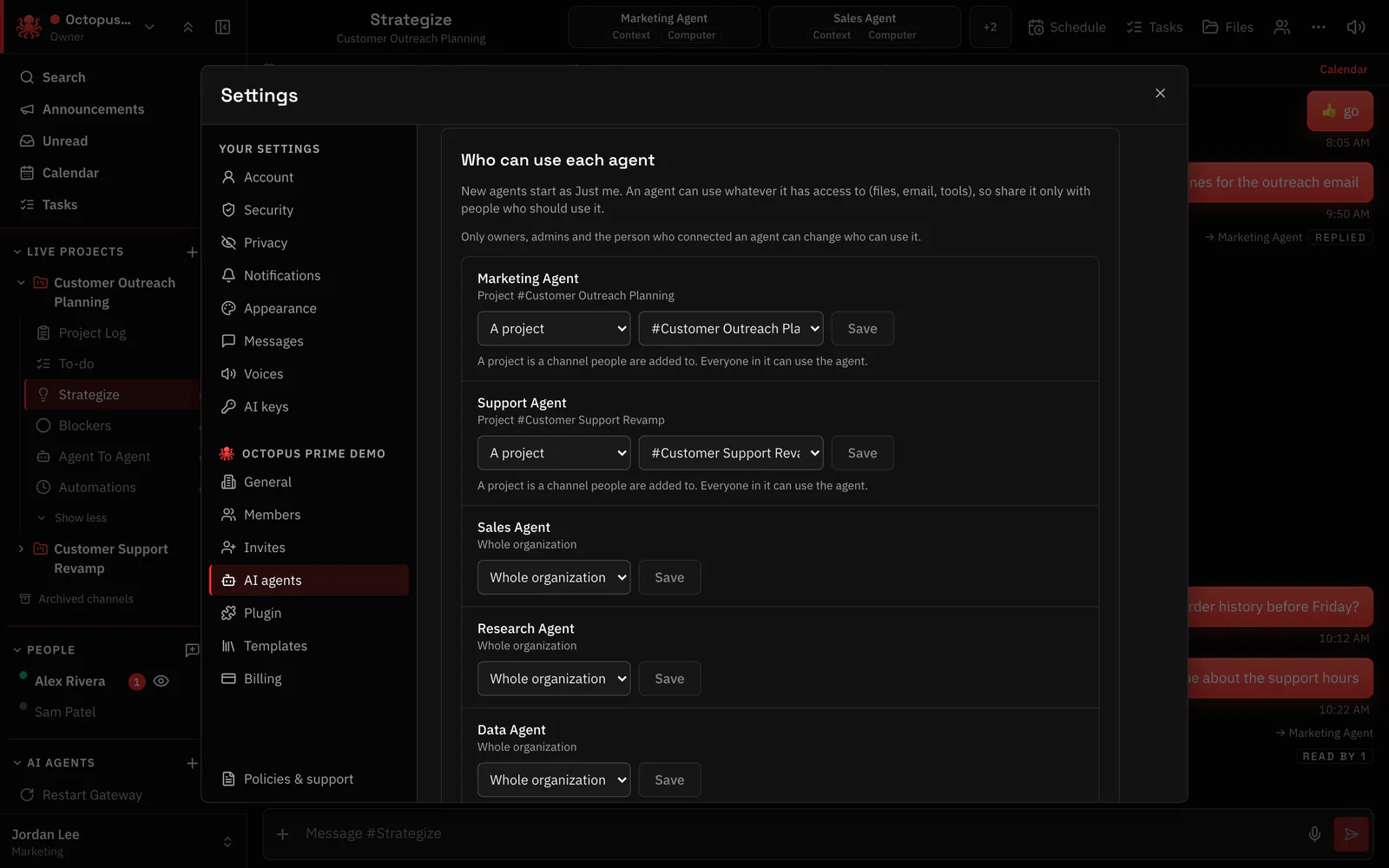
- Who can use each agent: Just me, A project or Whole organization. Whoever can use an agent can use what it reaches.
- Owners and Admins can require two-step login for everyone.
Where to find it in the app
- Invite people in Settings › Invites, by e-mail or invite link, with the right role.
- Share each agent in Settings › AI agents › Who can use each agent.
- Put the contractor only in the project channel they work in, and share the agent with that project.
- Turn on Require two-step login in Settings › Security if everyone should use it.
Related features
More on this: AI agent access control
Questions
Can several people use one OpenClaw agent?
Yes. Share the agent with a project or the whole organization. Each person gets their own private chat with it, and roles decide who can manage what.
Do roles limit what an agent can do?
No. Roles decide what people can do in Octopus Prime. What an agent can do comes from its OpenClaw setup, so share an agent only with people who should reach what it reaches.
Can admins read everyone’s chats?
No. Access follows membership. In an audited workspace, the Owner and the auditors they name can read every conversation, and everyone is told up front.
