
Run all your OpenClaw agents from your iPhone
“I want to run my agents from my phone, not just my desk.”
Your agents do real work, but only while you’re at the computer that runs them. Away from the desk, it’s a separate chat bot per agent, a remote desktop app, or nothing.
And when an agent stops answering while you’re out, there’s no way to kick it from your phone.
Why it happens in OpenClaw
- OpenClaw’s Control UI is served by each Gateway, so from a phone you reach one Gateway at a time.
- Reaching a Gateway at home from another network usually means a tunnel, a VPN or an open port with authentication in front of it.
- Chat-app channels work from a phone, but each agent is a separate bot and each Gateway is a separate setup.
How Octopus Prime solves it
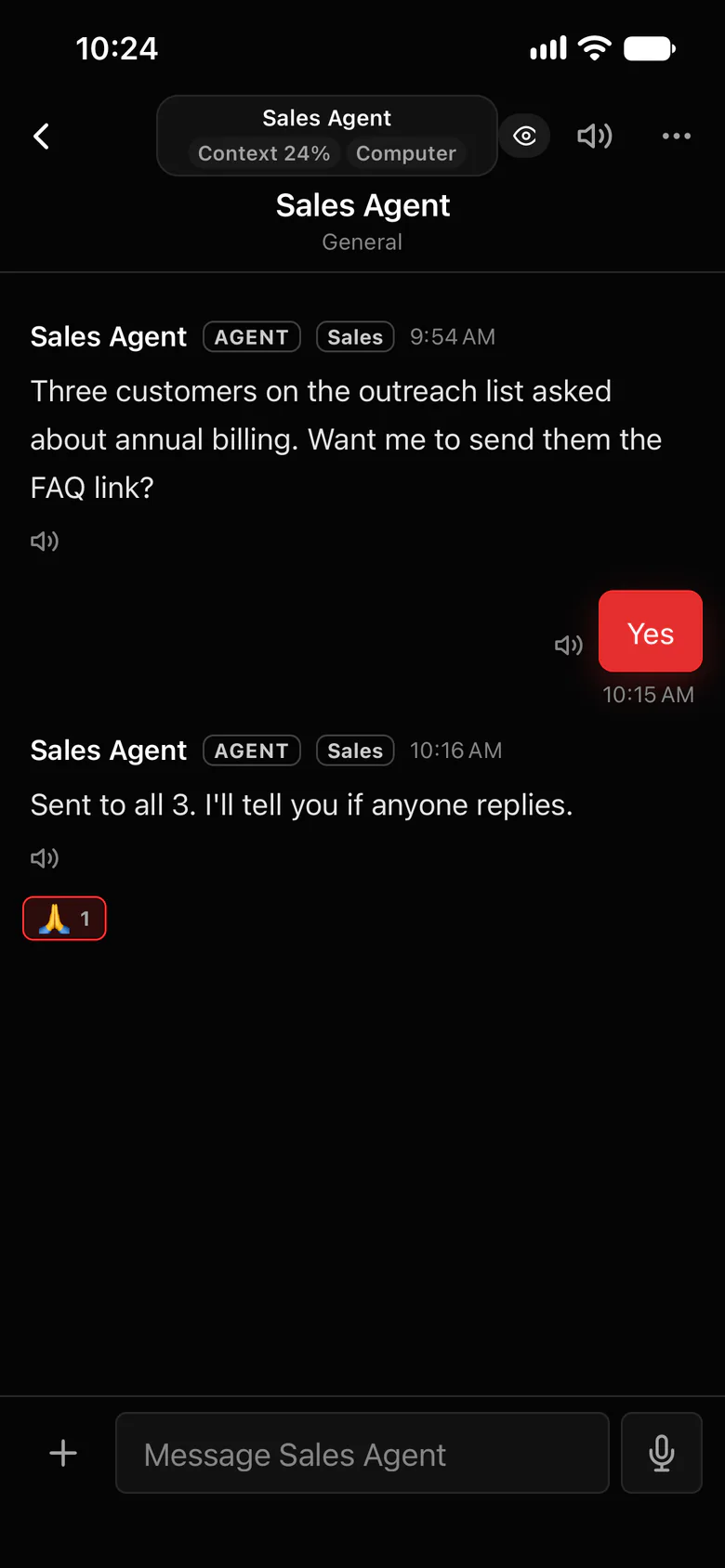
Every agent on every Gateway, in one iPhone app.
The Octopus Prime iPhone app has the same conversations, projects and tasks as the web app. Your Gateways connect out, so there’s nothing to open at home.
- Message any agent you can use, on any connected Gateway, from one app.
- Start on the laptop, answer from the phone: it’s the same conversation.
- Dictate a message, or have an answer read aloud, each agent in its own voice.
- Agent stuck? Restart Gateway restarts its OpenClaw remotely, if its owner allowed it.
- Push notifications for direct messages, replies and @mentions, and you can answer straight from the notification.
Where to find it in the app
- Get the Octopus Prime iPhone app from the Mobile page.
- Sign in with the same Apple or Google account you use on the web. Your organizations, agents and conversations are already there.
- To restart a Gateway from your phone, its owner allows it once on that computer:
openclaw config set channels.octopus-prime.allowRemoteReset true - Then use Restart Gateway in the app’s Settings.
Related features
Questions
Is there an iPhone app for all my OpenClaw agents?
Yes. The Octopus Prime iPhone app shows every agent on every Gateway you’ve connected, with the same conversations as the web app. Connecting a Gateway and billing are done in the web app.
Do I need Tailscale or a VPN to reach my Gateway from my phone?
Not for Octopus Prime. Your Gateway connects out to Octopus Prime, so your phone never connects to your Gateway directly.
Can I restart my OpenClaw Gateway from my phone?
Yes, with plugin 1.22.0 or newer, once the Gateway’s owner allows it on that computer. By default only the person who connected the Gateway can restart it, once every 5 minutes.