
OpenClaw agent forgets after compaction? Fix it
“My agent forgets everything after compaction.”
An hour into a long task, the session gets compacted. The agent keeps talking, but the plan you agreed on, the file names and last Tuesday’s decision are gone.
So you paste the brief again, explain the project again, and hope it sticks until the next compaction.
Why it happens in OpenClaw
- Every model has a context window. When a session nears it, OpenClaw compacts: older turns become a short summary so the chat can go on. It happens on its own, and by default without telling you.
- The full history stays on disk, but the model only sees the summary. Details that didn’t make the summary are gone for the agent.
- OpenClaw reminds the agent to save notes to its memory files first, but those live in that one agent’s workspace. Another agent, or a teammate, doesn’t read them.
How Octopus Prime solves it
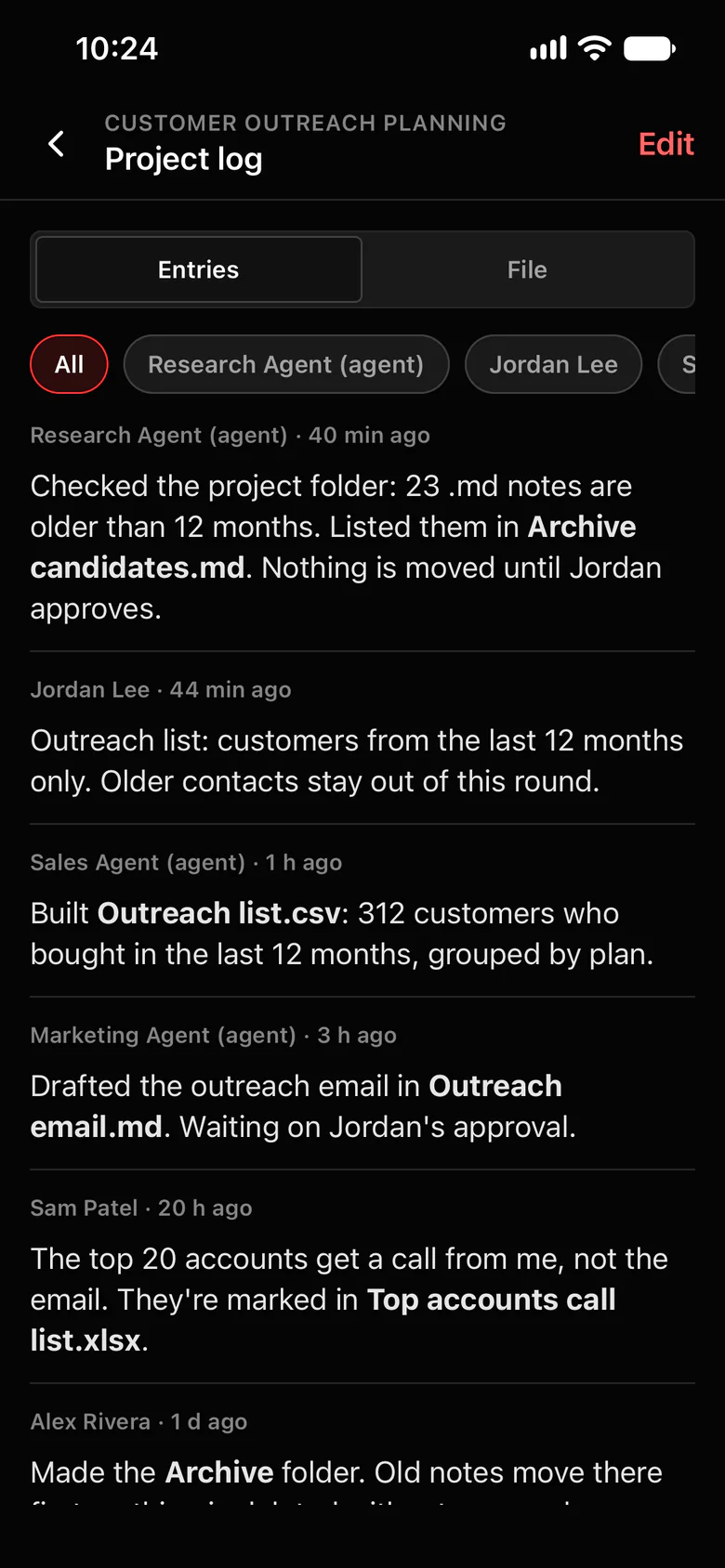
It carries over to a fresh session and reads the project log.
Instead of squeezing more into a full session, Octopus Prime starts a new session with the same agent. In a project, the first thing the new session reads is the project log.
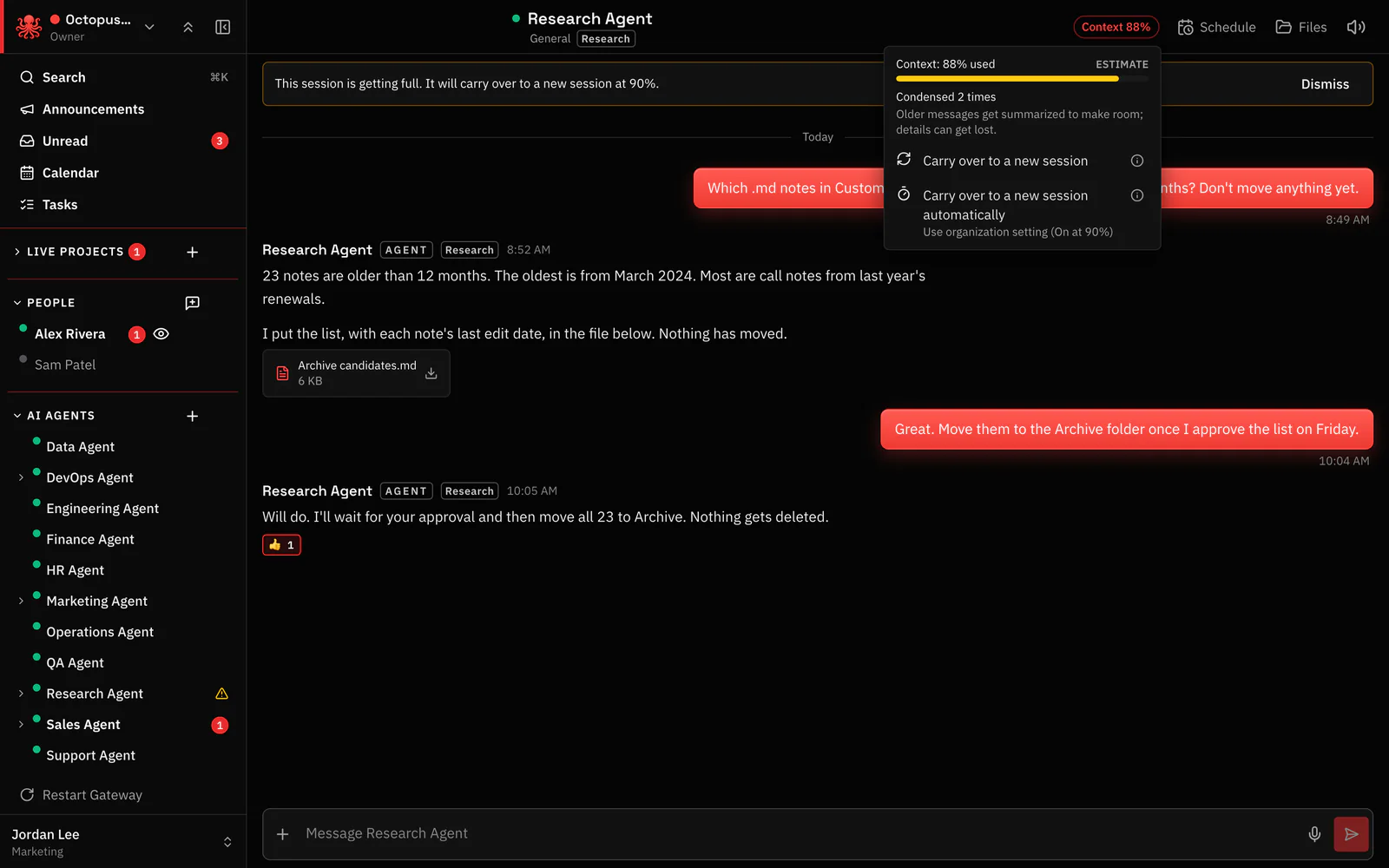
- The Context button in every agent conversation shows how full the session is, for example Context 72%.
- 10 points before the threshold, the app says: This session is getting full. It will carry over to a new session at 90%.
- After the turn that reaches 90% (the default; Owners and Admins can set 50% to 95%), a new session starts, named after the old one with (continued).
- In a project, it starts with the project log, so the agent is caught up in one read. For example: the outreach list covers customers from the last 12 months only, 23 old notes are listed in Archive candidates.md, and the outreach email waits on Jordan’s approval.
- Outside a project, the agent writes a summary first, and the new session starts from it.
Where to find it in the app
- Open a conversation with an agent and click Context to see how full the session is.
- Leave Carry over to a new session automatically on (it’s on by default), or click Carry over to a new session yourself when a topic is done.
- Do long work in a project, so the new session reads its log: click New project, then add the agent from the project’s Members › Add agents.
- Owners and Admins set the organization’s threshold, 50% to 95%, in Settings.
Related features
Questions
Why does my OpenClaw agent forget things after compaction?
Compaction replaces older turns with a short summary so the session fits the model’s context window. Whatever didn’t make the summary is no longer in front of the agent, even though the full history is still on disk.
What happens in Octopus Prime when an agent’s context fills up?
By default, after a turn ends at 90% full, Octopus Prime starts a new session with the same agent. In a project the new session begins by reading the project log; elsewhere it starts from a summary the agent wrote. The old session is kept read only for 10 days.
Can I change when it carries over?
Owners and Admins set it for the whole organization, from 50% to 95%, or turn it off. Each conversation can choose for itself from its Context button.